B2B SaaS · Analytics · Founding Designer
Designing a governed self-serve analytics platform from zero to enterprise scale
Logica is Kubit AI’s enterprise analytics platform. I was its first designer. The product model, the analytical workflows, the governance patterns, and the shared design system below were all built under one constraint: a design team of one had to be enough.
A coded interactive demo rebuilt with Claude Code and Codex on sanitized data; anyone reviewing the work can walk the full workflow directly in the browser. · Best viewed on a desktop-width window
- Domain
- B2B SaaS · Self-Serve Analytics · Data Governance
- Deliverables
- Desktop Web App · Design System · Interaction & Visual Design
- Scope
- Product Design · UX/UI · Design Systems · Prototyping · Launch Support
- Timeline
- 2018 → 2024 · Discovery → Rollout → Multi-year iteration
The mandate
Make sophisticated analytics usable without making it simplistic
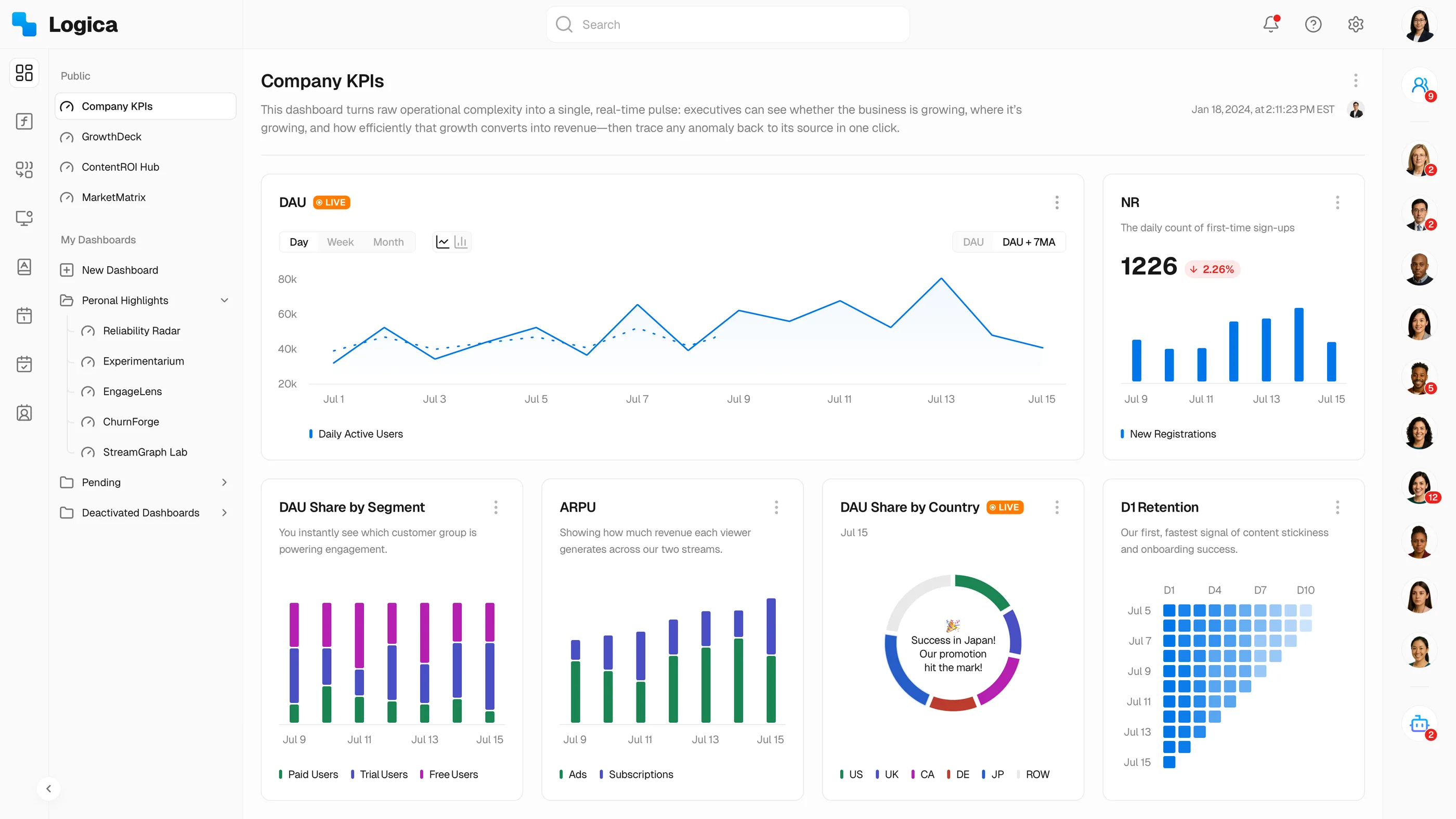
Logica is a desktop web application for enterprise data teams. It had to serve analytics and data governance at the same time, in the same screens. I designed it from discovery in 2018 through rollout and multi-year iteration to 2024, owning product design, interaction and visual design, and the design system that carries the platform.
Three constraints held for the entire run:
- Non-technical users needed faster answers.
- Analysts could not lose expressive power.
- Enterprises required governed definitions and access.
The problem
From an analyst queue to governed self-service, then AI-assisted investigation
Questions moved through people and SQL.
Users explored directly with definitions and permissions attached.
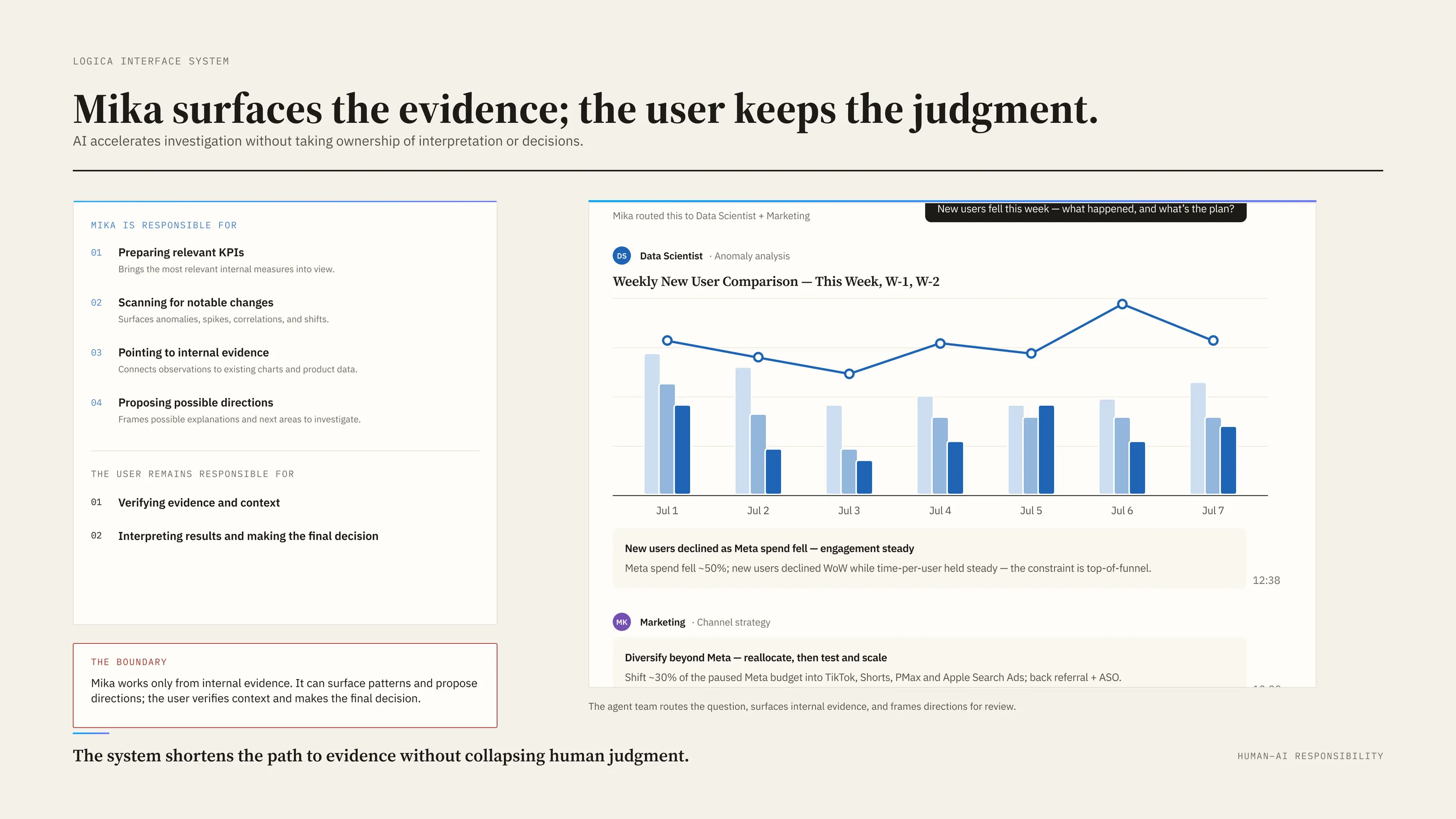
Mika surfaced internal evidence; users retained judgment.
Before Logica, a question moved through people, tools, and a shared queue: a product manager asked an analyst in Slack, they aligned on metric, filters, and date range, the analyst wrote SQL while the request waited behind everyone else’s, and every follow-up restarted the cycle.
Governed self-service removed that queue first. Users open governed dashboards, questions become conditions and breakdowns, definitions, owners, and permissions ride along, and follow-ups stay in the same session. Mika then shortened the path to evidence: it flags anomalies, spikes, and correlations and lays out directions with suggested actions.
The transformation was not analyst-to-AI. It was queue-dependent analysis → governed self-service → AI-assisted evidence.
Trade-off 1
One product, different depths
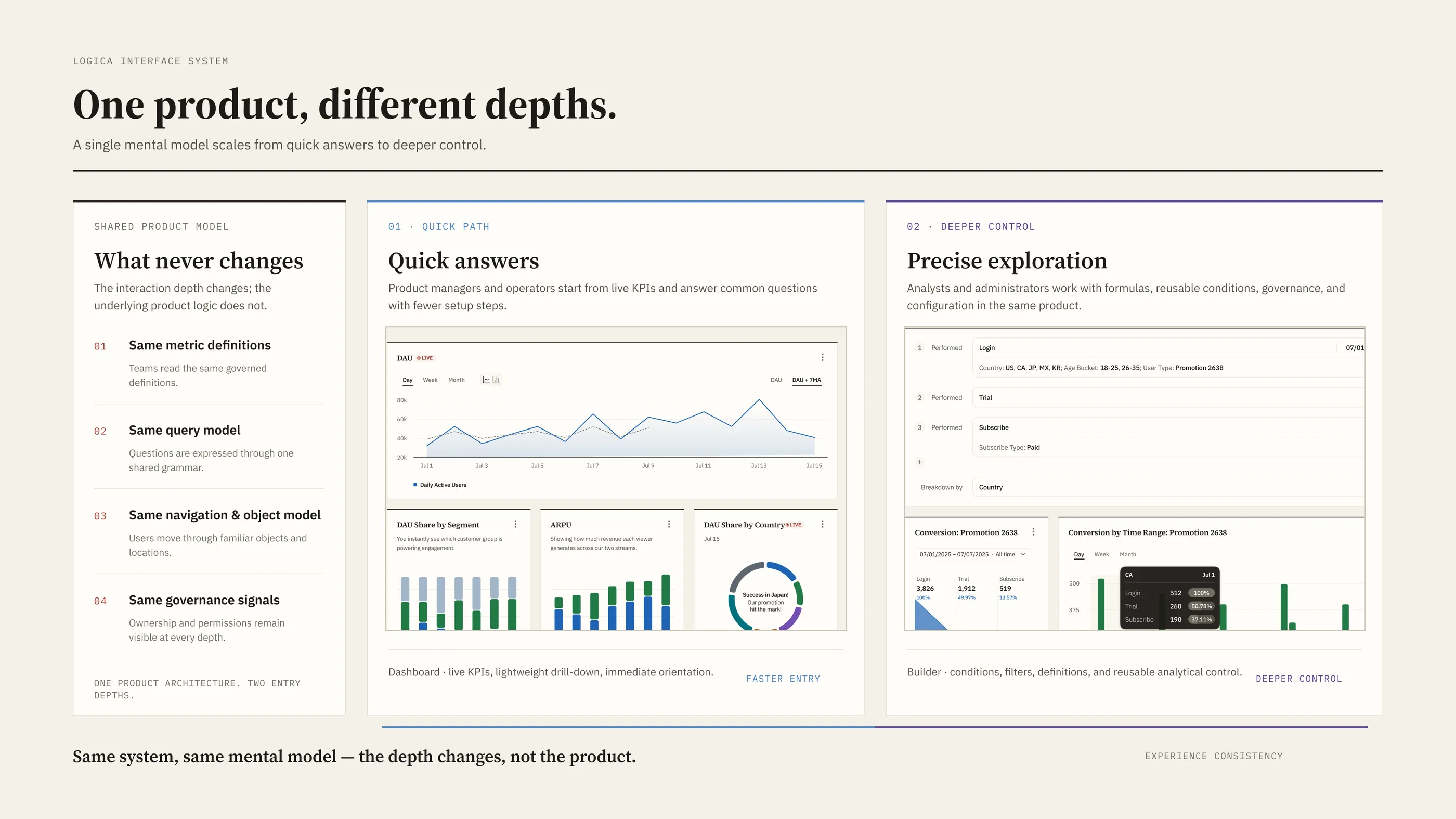
Logica is one product that opens at different depths. Product managers and operators take quick paths through common analyses; analysts and administrators work in the same system with deeper controls, formulas, governance, and configuration. The design challenge was making a single system hold up at every level of expertise.
The tension ran between quick answers and deep control. I rejected splitting Logica into a beginner product and an expert product: it would have doubled every surface and separated the people asking questions from the people answering them. I chose one product with depth on demand, at the cost of designing every screen for two audiences at once. Supporting both postures required one shared component library and a strict rule against forking the information architecture, the type ramp, or the form patterns.
I was the only designer on the product for most of its life, while the company and its product organization kept growing around me. Later I coached a junior designer and two interns. The patterns described below are what let a team that small carry a product this large.
How I aligned the team. I used the launch narrative and working prototypes to align the CEO, PM, and engineering around one shared product model before the team committed to the implementation architecture.
Trade-off 2
Different analytical tools, one interaction grammar
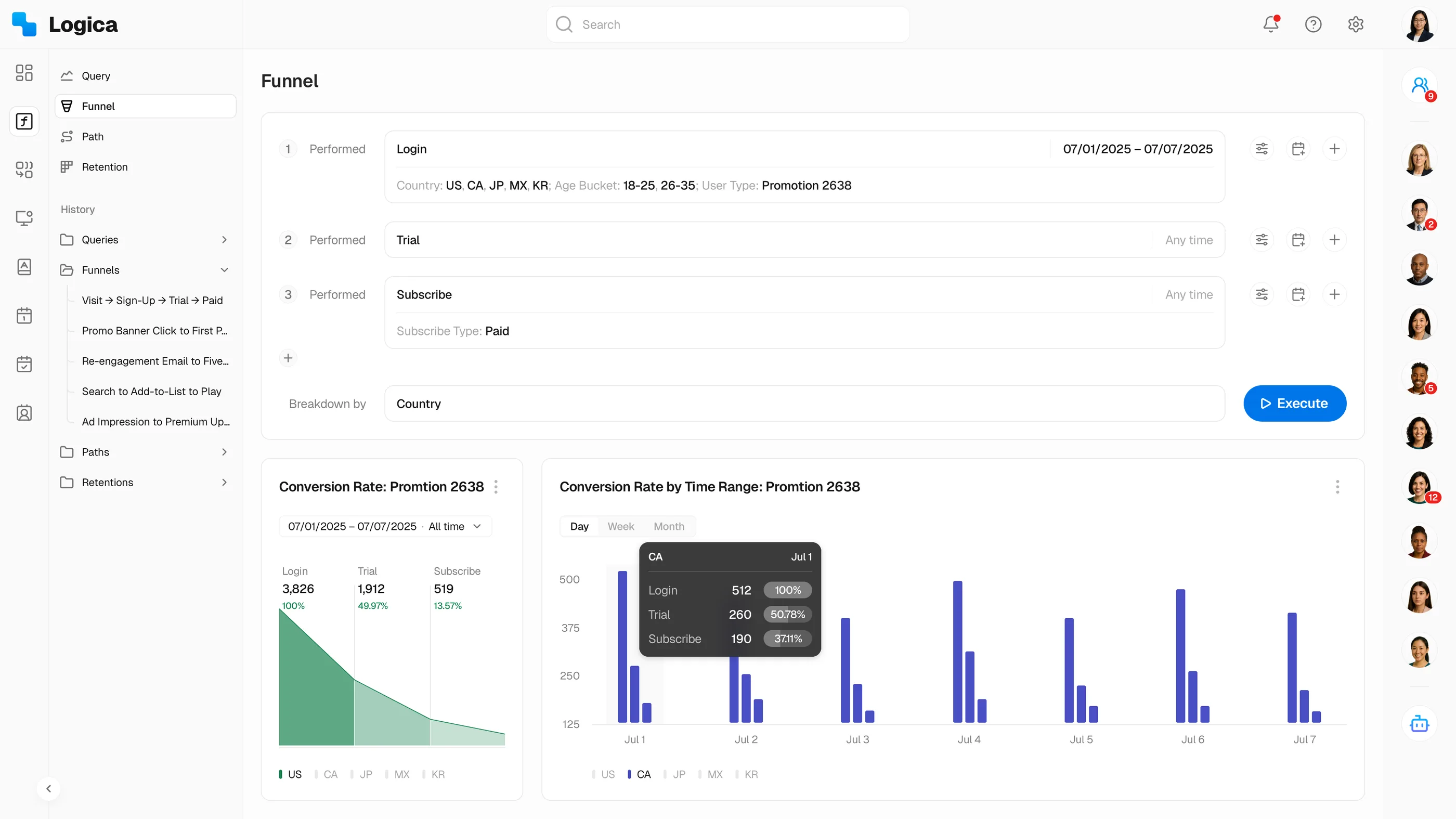
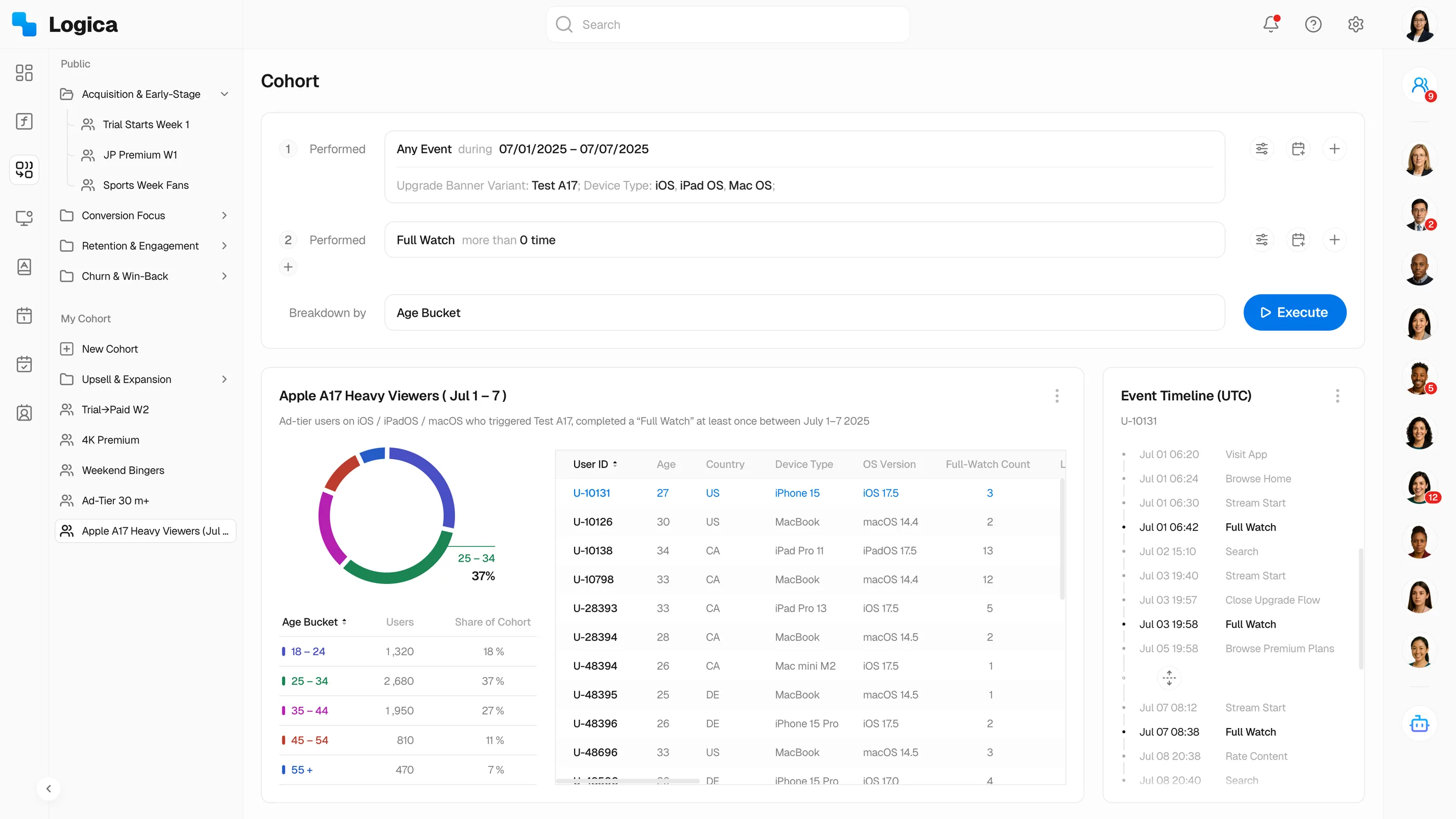
Formula, funnel, and cohort analysis could each have grown its own interface, and the learning cost and the inconsistency would have grown with them. Every builder instead commits to one grammar: object → conditions → results. Learn it in the funnel builder and the cohort builder already reads as familiar.
Formula editors are a standard capability in BI; every serious platform has one. My contribution was making Logica’s substantially easier to use. Complex analytical operations were reorganized into direct, visual interactions, with drag-and-drop and one-click operations replacing settings pages and detours between screens.
All of the advanced capability stayed; the interface just stops requiring the person writing a formula to think like a database operator.
The funnel screen shows what that grammar does to a formula. Funnel sits in the sidebar beside query, path, and retention, one module for four kinds of question, and each step carries its conditions in plain language where SQL would demand a clause.
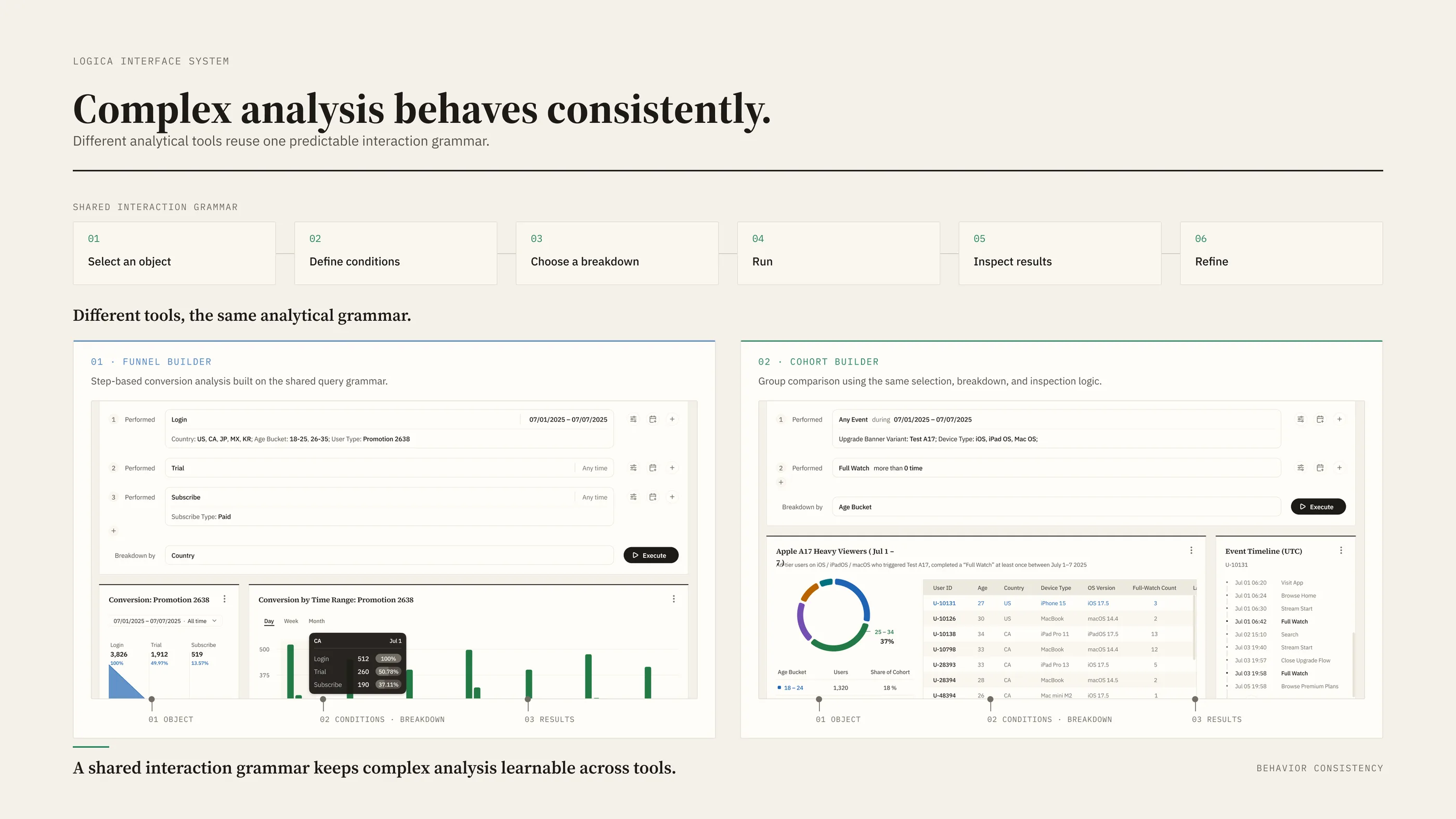
The cohort builder shows that grammar at working depth.
Trade-off 3
Trust travels with the analytical object
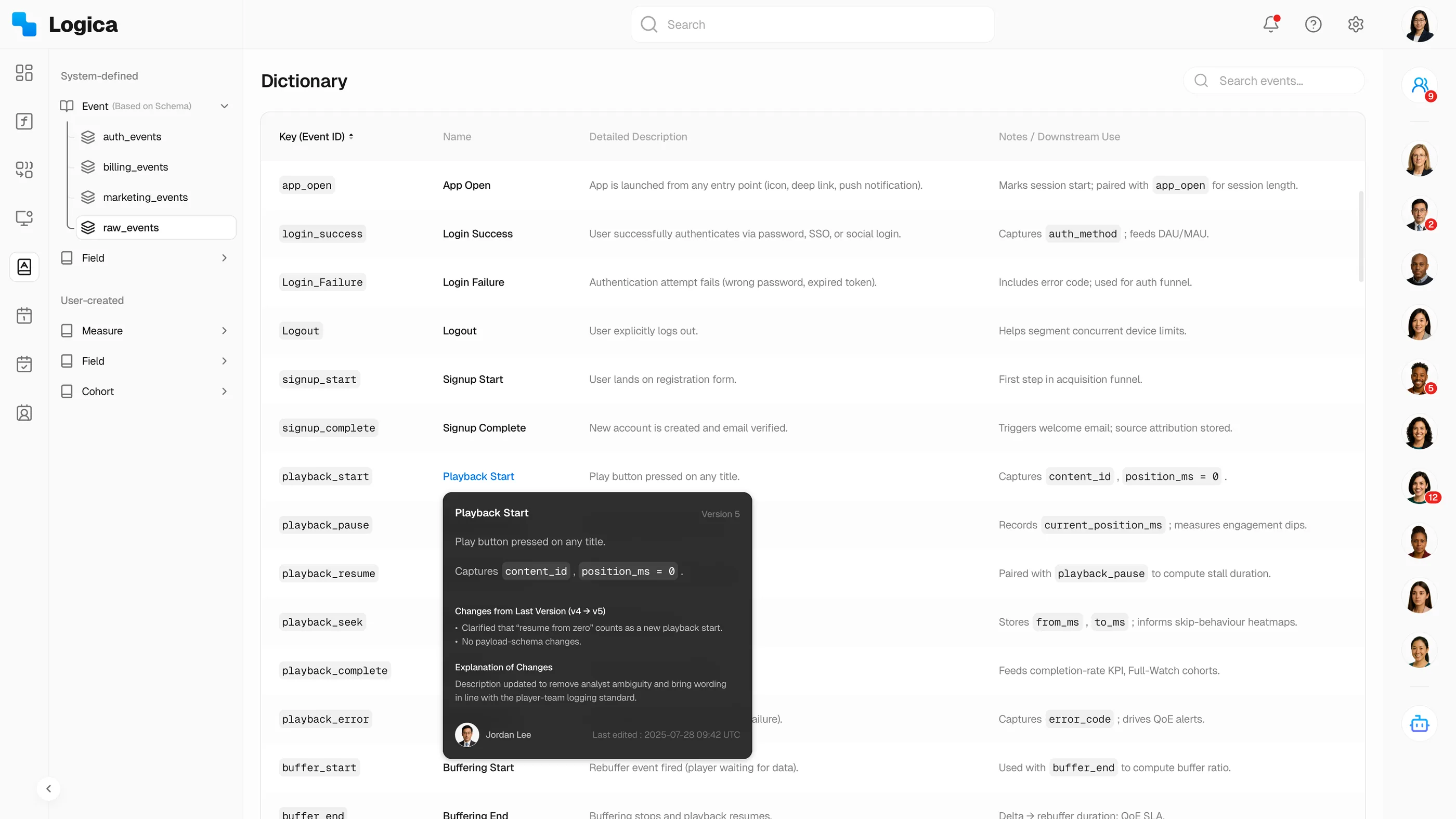
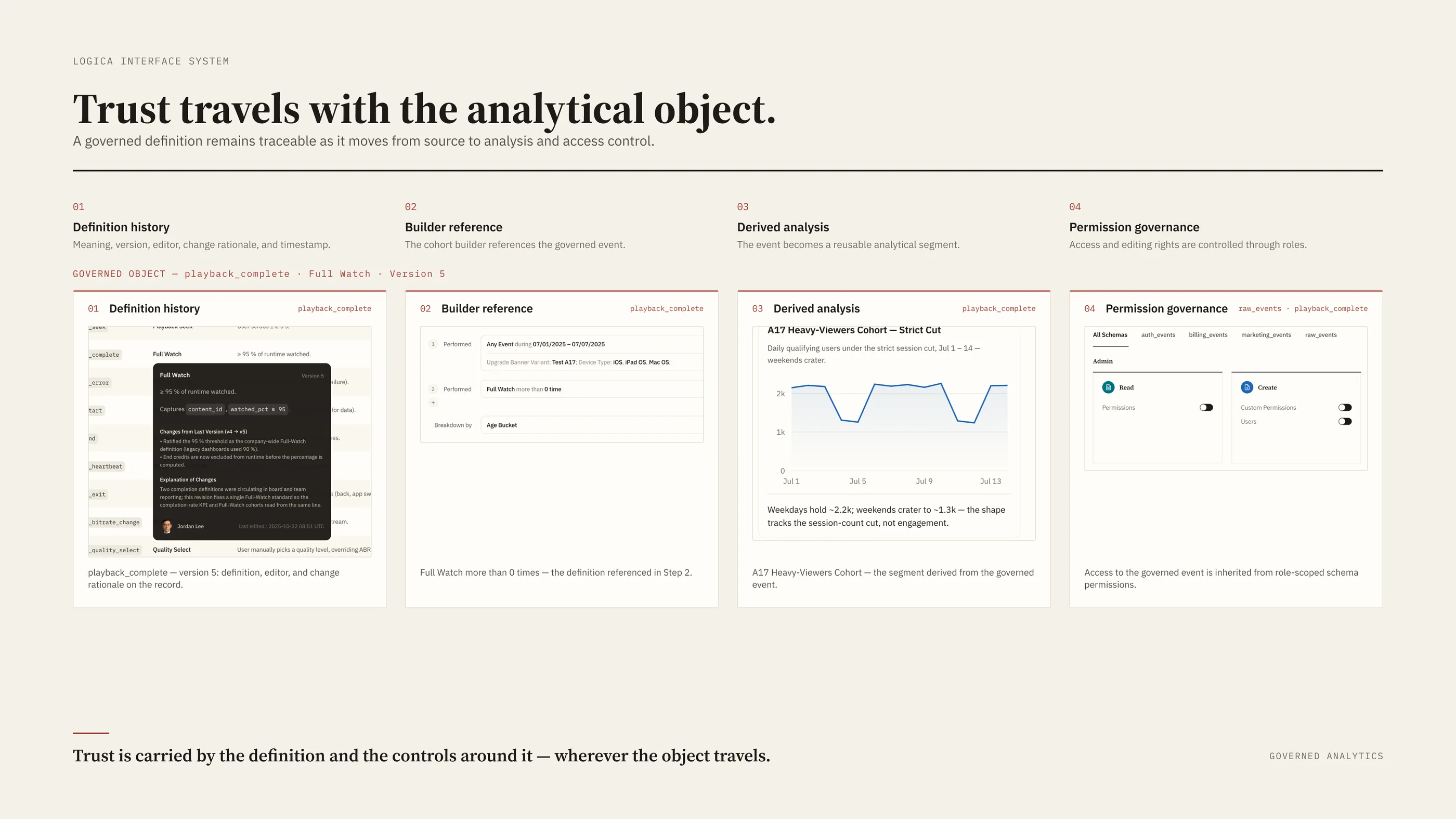
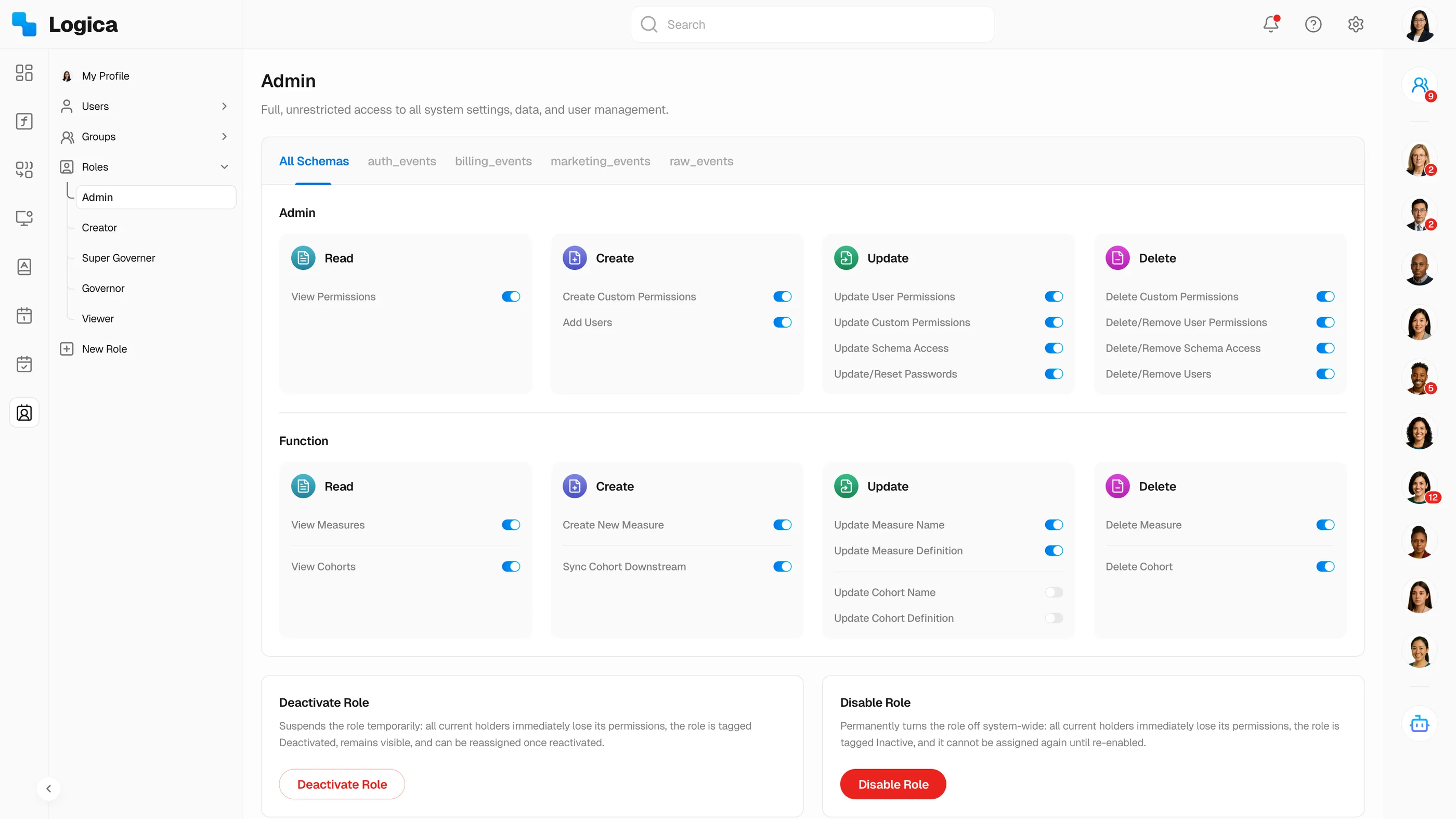
Governance had an obvious home, a separate admin back office, and I rejected it as detached from the analysis it was supposed to protect. Definitions, owners, versions, and permissions attach to the analytical object instead and take effect wherever that object appears.
Most analytics environments accumulate events and metrics faster than anyone documents them. The Data Dictionary works on what is already there: owners, definitions, naming conventions, and version history make each analytical concept understandable, reusable, and governable.
This work was primarily about data quality and operational clarity. When two people pull the same metric name, they should mean the same thing, and when a definition changes, the history should say who changed it and why.
Scaling the system
Shared layers turned repeated work into product infrastructure
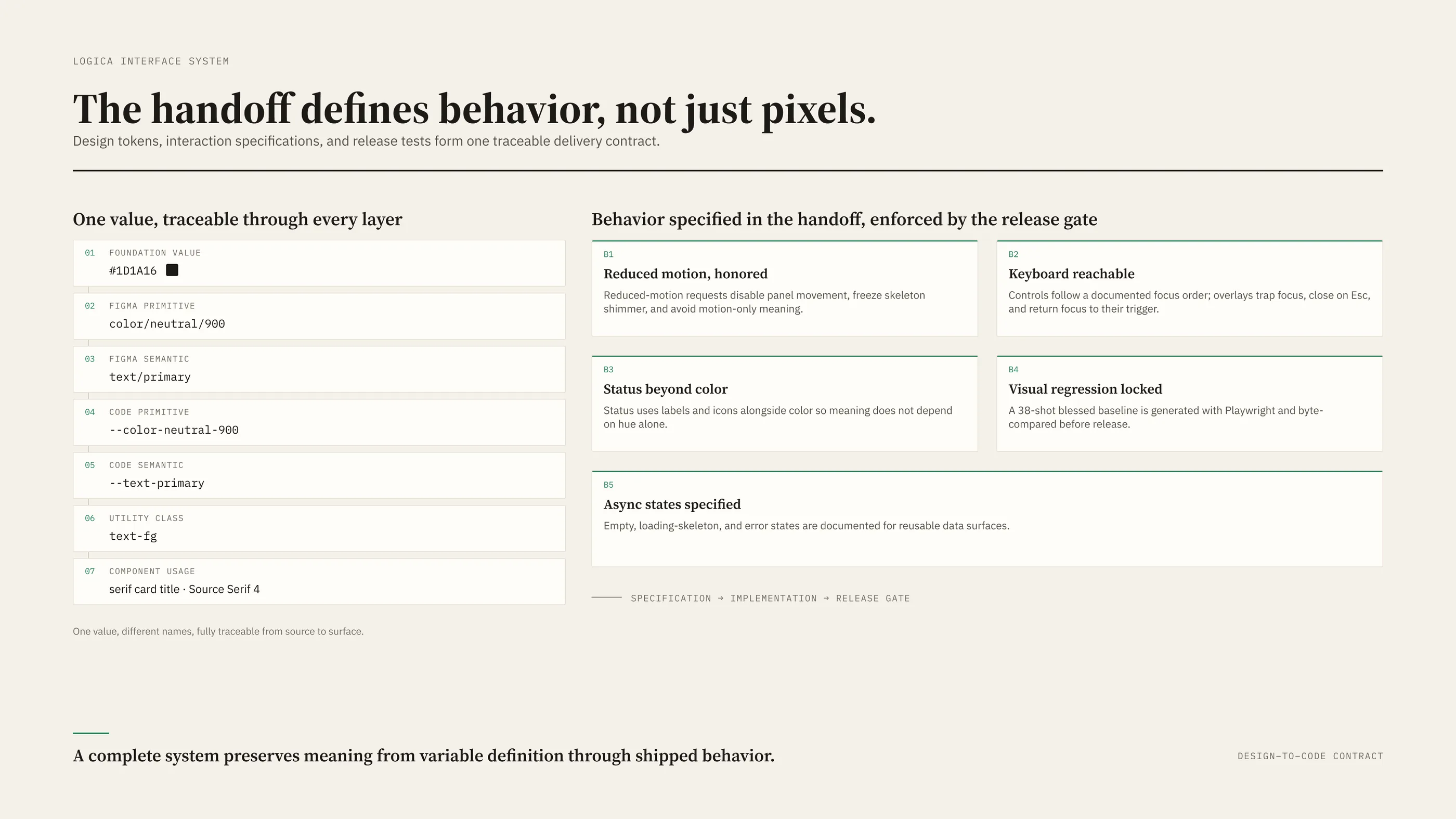
Six years of shipping settled into six shared layers, and every new feature starts from all of them.
The most valuable work sits at the top of the stack: formula creation, permission management, and audit history hardened into reusable patterns, already proven in production.
- Foundationscolor · typography · spacing · grid · elevation · iconography · motion · states
- Core componentsbuttons · inputs · menus · dialogs · navigation · notifications
- Data componentsKPI cards · charts · tables · filters · query states
- Analytical buildersformula editor · funnel builder · cohort builder · metric selector
- Governance patternspermission controls · audit trail · version history · ownership states
- Product templatesdashboard · workspace · admin console · data dictionary · Mika panel
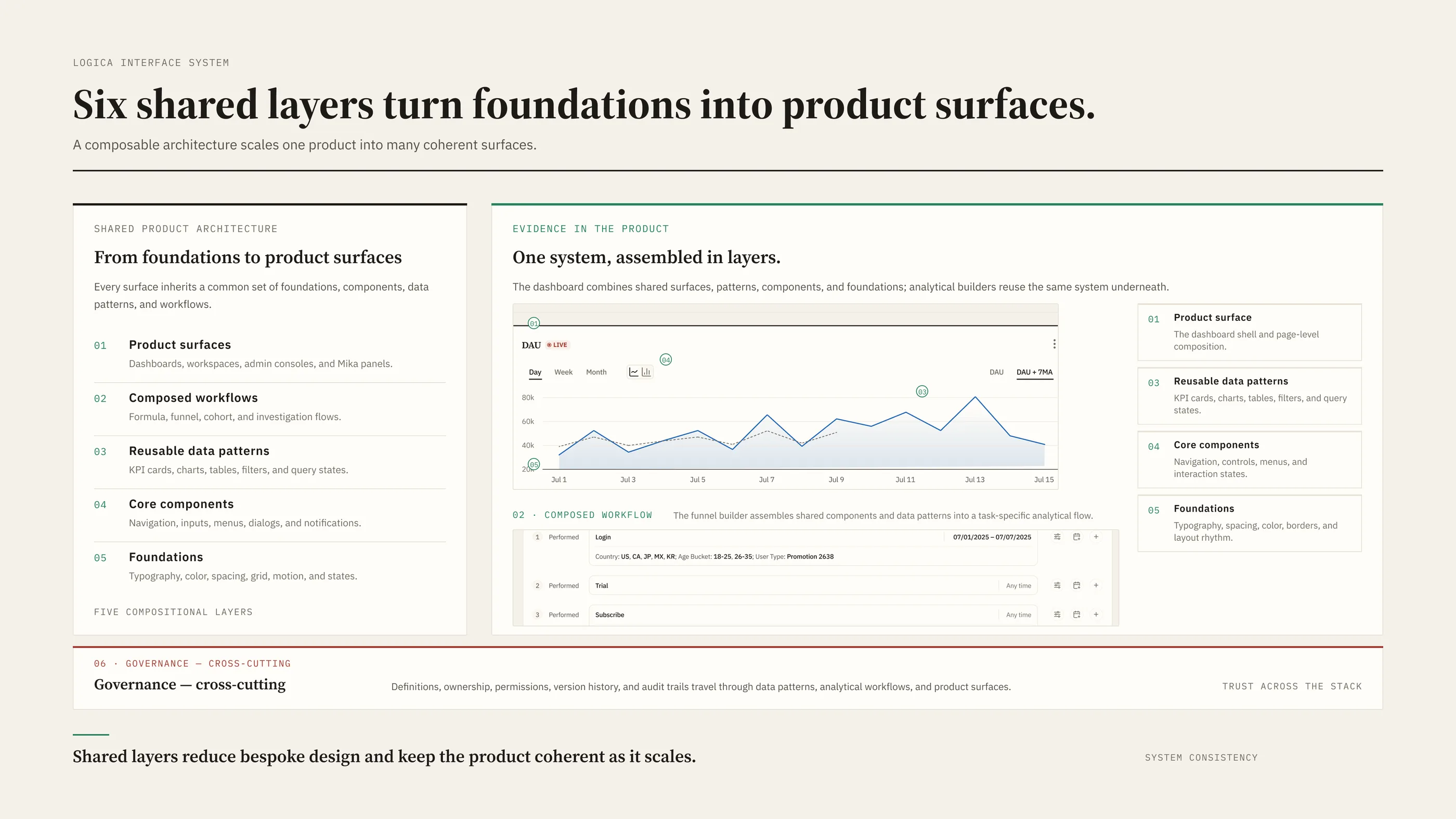
These boards reconstruct the shipped system using sanitized product data and current documentation; the underlying product decisions and patterns were established during my tenure.
And the handoff to engineering is specified as behavior: how one token becomes code, and which motion, focus, and status rules gate a release.
Visual language
Brand and visual foundations
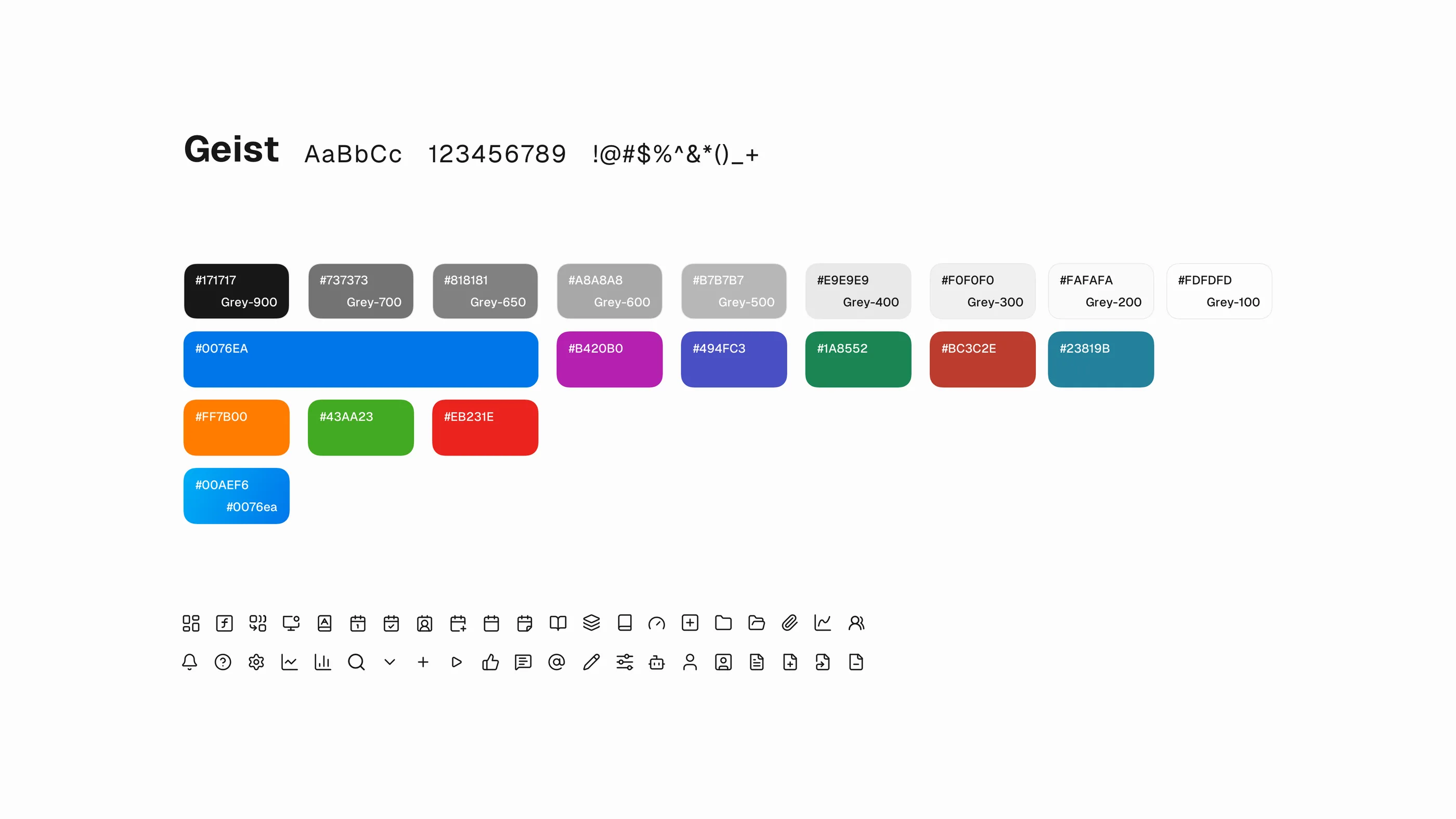
The foundations are documented as shipped tokens, from type voices and semantic color to status ramps and iconography.
Identity and mark
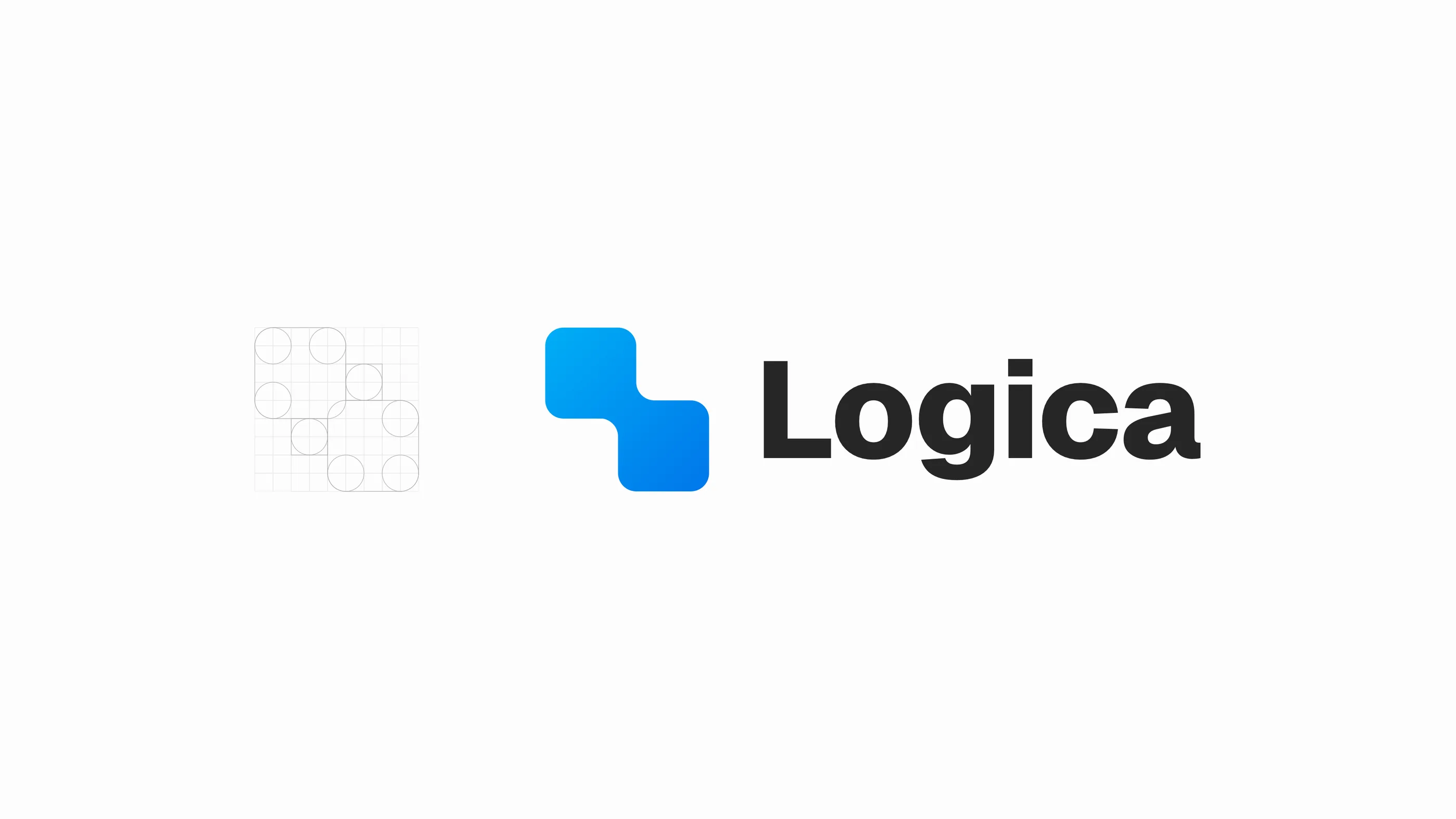
The identity work sits on the same foundations. Mark, wordmark, and product lockup all draw from the system’s type and color decisions.
AI evolution
Mika does the investigation’s legwork; the verdict stays with the user
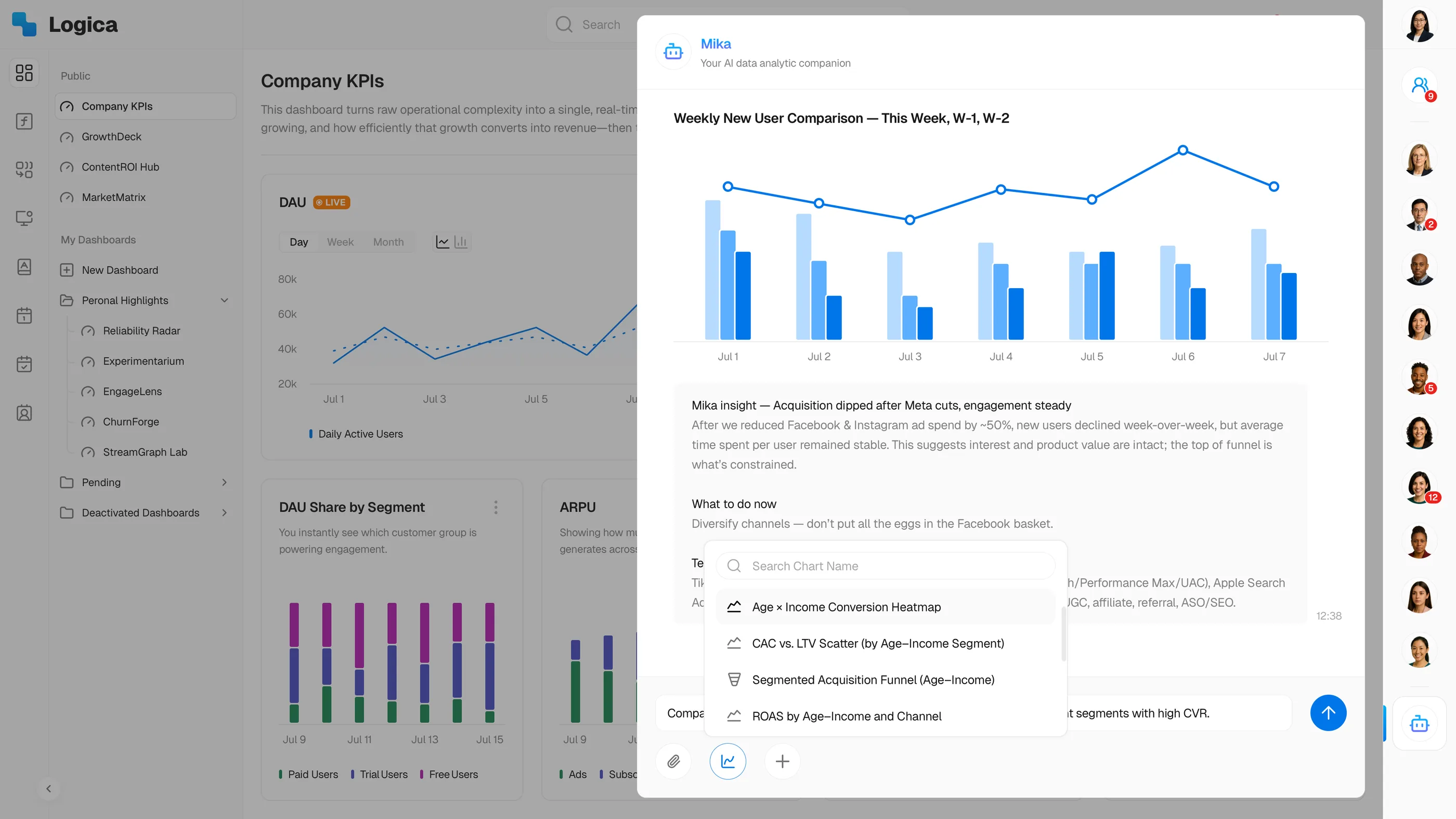
Mika is an AI assistant and agent that works across the entire platform. Before a user arrives, it has already prepared the key KPIs, summarized current performance, and scanned for anomalies, spikes, and correlations. When something looks off, it points to the relevant existing charts and data, then lays out a few directions worth investigating, each with a suggested next action.
Mika works only from information already inside the system. A competitor’s launch or a shift in the market never shows up in its data, which caps how far its conclusions can be trusted on their own. So the design treats Mika as decision support: evidence, possible explanations, and next steps it can justify from what the platform already knows. Whatever it surfaces, the interpretation and the final decision stay with the user.
The assistant model and its human-in-the-loop boundary come from my tenure; the multi-agent presentation shown here is a later reconstruction.
More of what shipped
Selected shipped surfaces
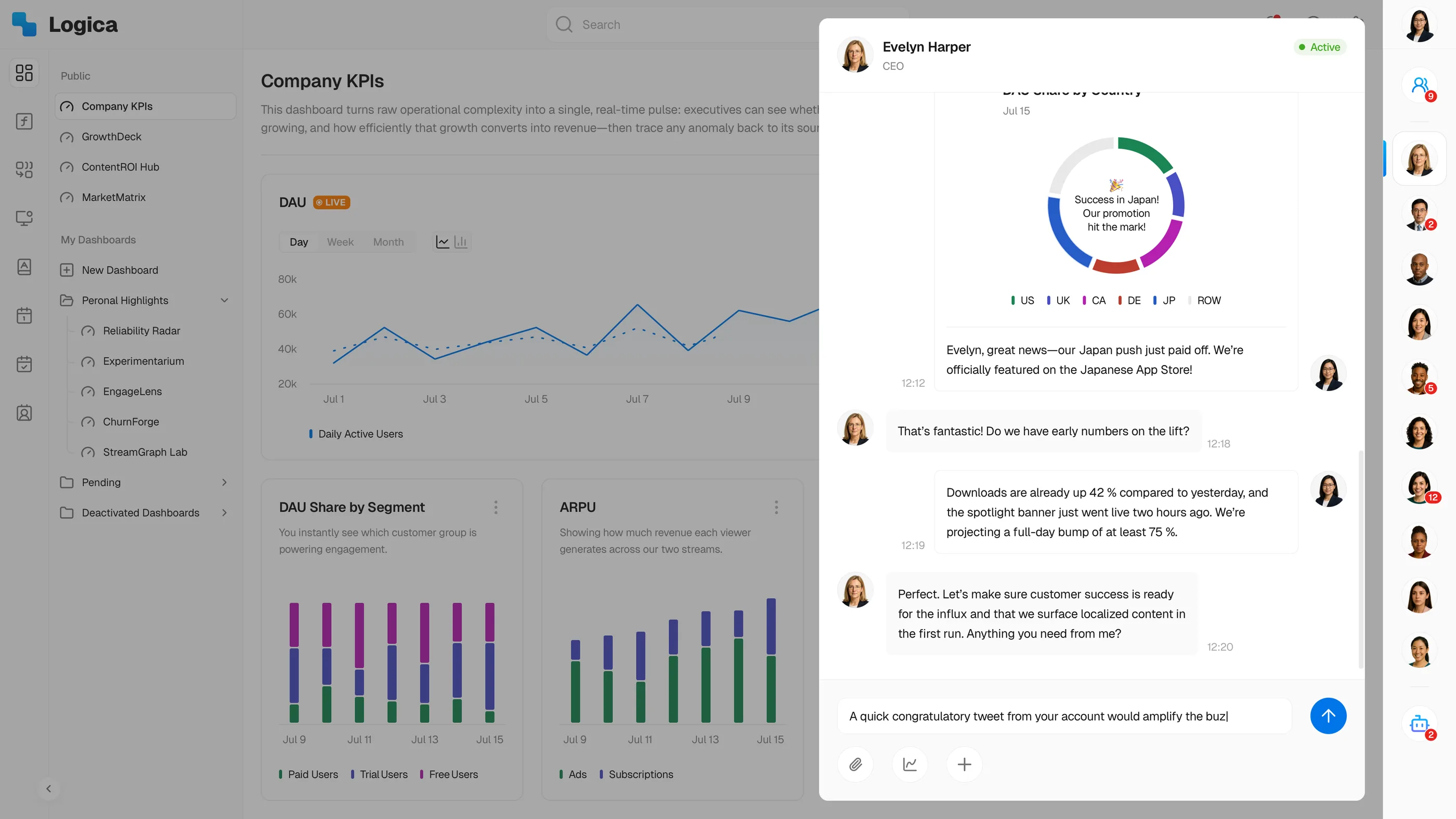
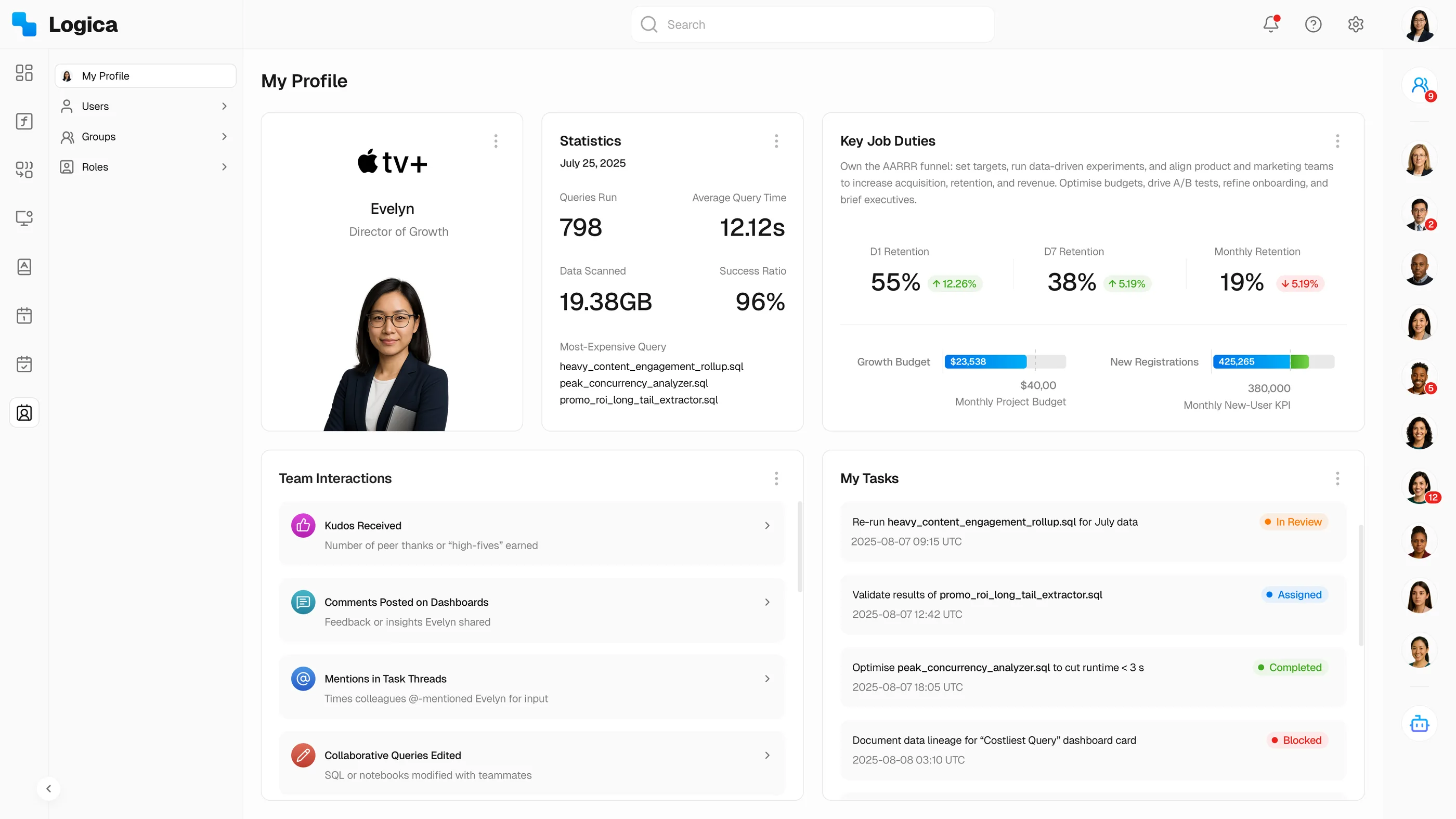
The coded interactive demo above walks the complete workflow. The screens below are the remaining surfaces: collaboration, incidents, administration, and each user’s workspace.
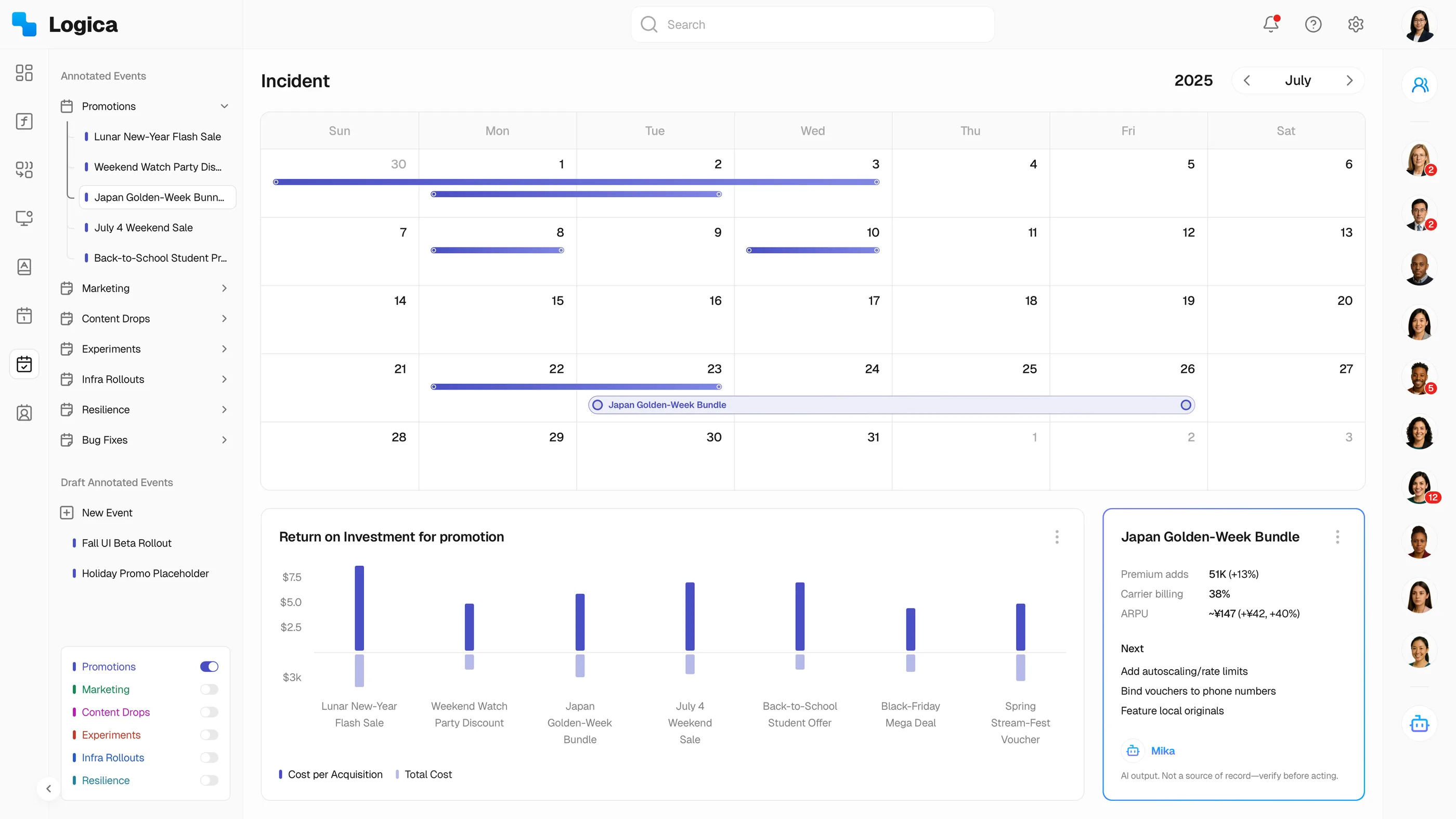
Two more surfaces: admin and personal workspace
Outcomes
What the product changed
- Customer outcome · ~4 hours → ~15 minutes per investigation. observed Speed changed who could ask questions: work that once waited on an analyst queue became something a product manager finished in one sitting.
- Business outcome · 0 → ~$4M ARR · 15+ enterprise customers · ~85% customer logo retention. measured, company-level Design supported this growth from the first customer onward; the roster includes Samsung, Pluto TV (Paramount), and Vix (TelevisaUnivision).
- Organizational outcome · Frontend implementation time projected down ~40% · supports a ~50-person product organization. projected estimate · observed Reusable components and templates are how a very small design team covered the company’s entire product surface.
Figures are presented at an aggregate level to protect confidential company and customer information.
Reflection
What I would do differently
- Invest in system measurement earlier. Design-system adoption and delivery speed were tracked informally at first, which is why the implementation gain is stated as a projection rather than a measured number.
- Resist customer-specific variation sooner. Some early enterprise requests should have been abstracted into shared patterns earlier than they were.
- Define AI evaluation alongside the assistant. Evidence quality, user verification, and failure states should have had a formal measurement framework from the beginning.
Where the product landed
Every major call in this story is the same call: when Logica could have forked, it held one line. One product at two depths instead of a beginner edition and an expert one. One grammar across formula, funnel, and cohort. One definition per metric, whoever pulls it. And when AI arrived, one place for judgment: the user. Six years on, that refusal to fork is the decision I would defend first.
The product model, workflows, and governance patterns are original work from my 2018–2024 tenure; the boards and this coded demo, rebuilt with Claude Code and Codex, are sanitized reconstructions of that system.